Mostrando las entradas con la etiqueta ASPX. Mostrar todas las entradas

jueves, marzo 22, 2007

Manejo alternativo de Ventanas Emergentes en ASPX y C#

Cuantas veces no te has visto en la necesidad de que tus aplicaciones web, envien pequeños mensajes al viejo estilo de las aplicaciones desktop, y ¿cual alternativa nos da dotNet? ninguna, o por lo menos eso parece. Sin embargo, con la experiencia en otras plataformas de desarrollo se van descubriendo alternativas. Tenemos por ejemplo, la facilidad de usar el recurso clásico: JavaScript, pero ¿que sucede si no queremos usar JavaScript? ¿Existe algún otro recurso? La respuesta es siempre si, hay componentes, sin embargo dichos componentes lo que hacen es tambien producir codigo javascript. Tal parece que es imposible deshacerse de él.


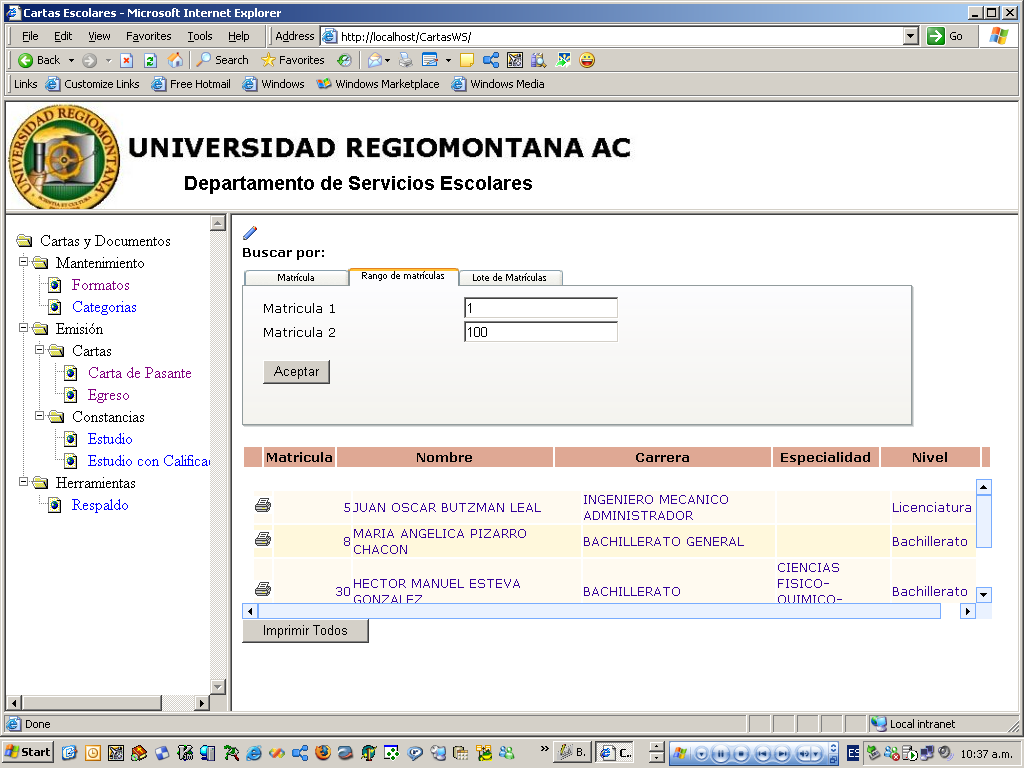
Que sucede si queremos que nuestra ventana emergente (popup window) se vea como en la siguiente imagen:


La respuesta puede venir igualmente desde el paradigma que plantea javascript (ante el cual no estoy en contra, en lo absoluto, al contrario); agregar un DIV en mi HTML de la ASPX y ocultarlo o mostrarlo via JavaScript. Sin embargo esto mismo puede hacerse desde dotNet, C# en este caso. ¿como? simple, cambiar los tags de HTML a componentes dotNet via usar la propiedad RUNAT="SERVER". Este sencillisimo truco puede agregar funcionalidad muy util a los tags de HTML al volverlos componentes manejables desde el servidor. Como el manejo de eventos por decir algo.


En este caso basta con crear un DIV o una simple Tabla y añadirle runat=server para extener la funcionalidad y de esa forma cubrir nuestras necesidades. Ejemplo.- Si queremos que despues de guardar los datos de nuestra pantalla de clientes, (figura de arriba), se muestre la ventana de mensaje indicando el resultado, ya haya sido un error o un resultado favorable, debemos hacer lo siguiente:


  1. Añadir el DIV o la Tabla en nuestra pagina ASPX.

  2. Añadir la propiedad runat=server

  3. Cambiar establecer la propiedad visible en false. Nota: dicha propiedad no es considerada por defecto en html, pero al extenderlo a control dotnet ya es posible usarla. de otra forma se tendria que modificar la propiedad style.

  4. Añadir el codigo de activación de la ventana en los eventos de servidor, en este caso en el on_click del boton "guardar".

  5. Si nuestra ventana la queremos eliminar despues de hacer click, agregamos el codigo de servidor para el evento indicando que ahora la ventana estara invisible.


Technorati : , ,

martes, febrero 20, 2007

¿Como almacenar una imagen JPG dentro de una Base de Datos con ASPX y C#?

Hace algunos meses escribí un pequeño artículo sobre como leer una imagen que se encuentra guardada en una base de datos, para desplegarla en una página web ASPX. Ahora, si nos hacemos la pregunta ¿como fue grabada esa imagen? Bueno, despues de un buen tiempo, aqui subo la respuesta:


¿como guardar una imagen en una base de datos?


public void btnSave_Click(object sender, System.EventArgs e)
{
Int32 iFileLength = System.Convert.ToInt32(fileUpload.PostedFile.InputStream.Length);
string sContentType = fileUpload.PostedFile.ContentType;
string sFileName = fileUpload.PostedFile.FileName.Substring(fileUpload.PostedFile.FileName.LastIndexOf("\\") + 1);
byte[] bFileDataBuffer = new byte[iFileLength + 1];
fileUpload.PostedFile.InputStream.Read(bFileDataBuffer, 0, iFileLength);

SqlTransaction trans=null;

con.Open();

try
{
trans = con.BeginTransaction();

spUploadInsertNew.Transaction = trans;
spUploadInsertNew.Parameters["@DocumentID"].Value = iDocumentID;
spUploadInsertNew.Parameters["@UserID"].Value = txtAuthor.Text;
spUploadInsertNew.Parameters["@Title"].Value = txtTitle.Text;
spUploadInsertNew.Parameters["@FileName"].Value = sFileName;
spUploadInsertNew.Parameters["@FileData"].Value = bFileDataBuffer;
spUploadInsertNew.Parameters["@ContentType"].Value = sContentType;
spUploadInsertNew.Parameters["@DatePosted"].Value = txtDatePosted.SelectedDate;
spUploadInsertNew.Parameters["@FileLength"].Value = iFileLength;

spUploadInsertNew.ExecuteNonQuery();

trans.Commit();

}
catch (Exception ex)
{
System.Console.WriteLine(ex.ToString());
trans.Rollback();
}
finally
{
con.Close();
}
}

Necesitamos un Stored Procedure como el siguiente:


/****** Object: Stored Procedure dbo.Uploads_I Script Date: 14/11/2006 03:49:32 p.m. ******/
CREATE PROCEDURE dbo.Uploads_I(
@DocumentID Integer,
@UserID CHAR(15),
@Title VARCHAR(45),
@FileName VARCHAR(85),
@FileData Image,
@ContentType VARCHAR(50),
@DatePosted DateTime,
@FileLength Integer)
AS
BEGIN
DECLARE @UploadID Integer

SELECT @UploadID = ISNULL(MAX(UploadID),0) + 1 FROM Uploads

INSERT INTO Uploads
([UploadID] ,[DocumentID] ,[UserID] ,[Title] ,[FileName] ,[FileData] ,[ContentType] ,[DatePosted] ,[FileLength] )
VALUES (@UploadID,@DocumentID,@UserID,@Title,@FileName,@FileData,@ContentType,@DatePosted,@FileLength)
END


viernes, noviembre 03, 2006

Componente para ventanas emergentes (PopUp Windows en dotNet)

Componente para ventanas emergentes (PopUpWindows) estílo MSN Messenger.

http://www.codeproject.com/aspnet/asppopup.asp

miércoles, octubre 25, 2006

Menu de árbol - TreeView en ASPX y C#


--- ASPX ---

<%@ Page language="c#" Codebehind="Menu.aspx.cs" AutoEventWireup="false" Inherits="Sorteo.Menu" %>
<!DOCTYPE HTML PUBLIC "-//W3C//DTD HTML 4.0 Transitional//EN" >
<HTML>
<HEAD>
<TITLE>Menu</TITLE>
<META content="Microsoft Visual Studio .NET 7.1" name="GENERATOR">
<META content="C#" name="CODE_LANGUAGE">
<META content="JavaScript" name="vs_defaultClientScript">
<META content="http://schemas.microsoft.com/intellisense/ie5" name="vs_targetSchema">
<LINK href="default.css" type="text/css" rel="stylesheet">
</HEAD>
<BODY ms_positioning="GridLayout">
<!--<FORM runat="server">
<TABLE width="100%">
<TR>
<TD colspan="3">
<DIV style="BACKGROUND-IMAGE: url(http://localhost/Sorteo/images/logo sorteo jaguar ur - watermark 1.jpg);WIDTH: 783px;POSITION: relative;HEIGHT: 144px"
ms_positioning="GridLayout">
<ASP:IMAGE id="Image1" style="Z-INDEX: 101; LEFT: 8px; POSITION: absolute; TOP: 8px" runat="server"
height="128px" width="128px" imageurl="images/logo sorteo jaguar ur.jpg"></ASP:IMAGE>
<ASP:LABEL id="Label1" style="Z-INDEX: 102; LEFT: 152px; POSITION: absolute; TOP: 24px" runat="server"
width="352px" font-size="XX-Large" font-names="Times New Roman">Sorteo Jaguar UR</ASP:LABEL>
<ASP:LABEL id="lblSorteo" style="Z-INDEX: 103; LEFT: 512px; POSITION: absolute; TOP: 24px"
runat="server" font-size="XX-Large" font-names="Times New Roman">2006</ASP:LABEL></DIV>
</TD>
</TR>
<TR>
<TD width="209" style="WIDTH: 209px">
<DIV style="MARGIN: 0px; OVERFLOW: scroll; WIDTH: 208px; CLIP: rect(0px auto auto 0px); POSITION: static; HEIGHT: 500px">-->
<DIV>
<SCRIPT languaje="javascript">
classPath = "class.tree";
ftv2blank = "ftv2/ftv2blank.gif";
ftv2doc = "ftv2/ftv2doc.gif";
ftv2folderclosed = "ftv2/ftv2folderclosed.gif";
ftv2folderopen = "ftv2/ftv2folderopen.gif";
ftv2lastnode = "ftv2/ftv2lastnode.gif";
ftv2link = "ftv2/ftv2link.gif";
ftv2mlastnode = "ftv2/ftv2mlastnode.gif";
ftv2mnode = "ftv2/ftv2mnode.gif";
ftv2node = "ftv2/ftv2node.gif";
ftv2plastnode = "ftv2/ftv2plastnode.gif";
ftv2pnode = "ftv2/ftv2pnode.gif";
ftv2vertline = "ftv2/ftv2vertline.gif";
basefrm = "main";
</SCRIPT>
<SCRIPT src="class.tree/ftiens4.js" type="text/javascript">
</SCRIPT>
<SPAN id="spnJavaScript" runat="server"></SPAN>
</DIV>
<!--</TD>
<TD width="60%" align="center" valign="middle"><IMG height="400" alt="" src="images/logo sorteo jaguar ur - fondo.jpg" width="425">
</TD>
<TD width="25%"></TD>
</TR>
</TABLE>
</FORM>-->
</BODY>
</HTML>


--- C# ---

using System;
using System.Collections;
using System.ComponentModel;
using System.Data;
using System.Drawing;
using System.Web;
using System.Web.SessionState;
using System.Web.UI;
using System.Web.UI.WebControls;
using System.Web.UI.HtmlControls;
using Sorteo;

namespace Sorteo
{
/// <summary>
/// Summary description for Menu.
/// </summary>
public class Menu : System.Web.UI.Page
{
protected System.Web.UI.HtmlControls.HtmlGenericControl spnJavaScript;

void Page_Load(Object sender, EventArgs e)
{

buildMenu();


}

protected void buildMenu()
{
MenuWS ws = new MenuWS();

DataSet menuDS = ws.getMenu();
DataTable menuDT = menuDS.Tables["Menu"];
string varName="";
string papaVarName="";
string treeCommand = "";
string hayHijos;
string caption;
string url;

spnJavaScript.Controls.Add(new LiteralControl("<scr" + "ipt languaje=\"javascript\">\n"));

foreach(DataRow opcion in menuDT.Rows)
{
varName = "aux" + opcion["Nivel"];
papaVarName = "aux" + Convert.ToString(Convert.ToInt32(opcion["Nivel"])-1);
caption = Convert.ToString(opcion["Opcion"]).Trim();
url = Convert.ToString(opcion["URL"]).Trim();

if (Convert.ToInt32(opcion["Nivel"]) == 0)
{
treeCommand = varName + "= gFld(\"" + caption + "\", \"" + url + "\")\n";
}
else
{
hayHijos = Convert.ToString(opcion["hayHijos"]);
if (hayHijos.Equals("Y"))
{
treeCommand = varName + "= insFld(" + papaVarName + ", gFld(\"" + caption + "\", \"" + url + "\"))\n";
}
else
{
treeCommand = "insDoc(" + papaVarName + ", gLnk(" + papaVarName + ", \"" + caption + "\", \"" + url + "\"))\n";
}
}

treeCommand = treeCommand.Replace("aux0","foldersTree");
spnJavaScript.Controls.Add(new LiteralControl(treeCommand));
}
spnJavaScript.Controls.Add(new LiteralControl("initializeDocument()\n"));
spnJavaScript.Controls.Add(new LiteralControl("</scr" + "ipt>\n"));
}
#region Web Form Designer generated code
override protected void OnInit(EventArgs e)
{
//
// CODEGEN: This call is required by the ASP.NET Web Form Designer.
//
InitializeComponent();
base.OnInit(e);
}

/// <summary>
/// Required method for Designer support - do not modify
/// the contents of this method with the code editor.
/// </summary>
private void InitializeComponent()
{
this.Load += new System.EventHandler(this.Page_Load);

}
#endregion
}
}

--- WebService ---


<%@ WebService Language="c#" Codebehind="MenuWS.asmx.cs" Class="Sorteo.MenuWS" %>


--- WebService C# ---


using System;
using System.Collections;
using System.ComponentModel;
using System.Data;
using System.Diagnostics;
using System.Web;
using System.Web.Services;

namespace Sorteo
{
/// <summary>
/// Summary description for CartasWS.
/// </summary>
public class MenuWS : System.Web.Services.WebService
{
public MenuWS()
{
//CODEGEN: This call is required by the ASP.NET Web Services Designer
InitializeComponent();
}

private System.Data.SqlClient.SqlConnection con;
private System.Data.SqlClient.SqlDataAdapter spGetMenuDA;
private System.Data.SqlClient.SqlCommand spGetMenu;

#region Component Designer generated code

//Required by the Web Services Designer
private IContainer components = null;

/// <summary>
/// Required method for Designer support - do not modify
/// the contents of this method with the code editor.
/// </summary>
private void InitializeComponent()
{
System.Configuration.AppSettingsReader configurationAppSettings = new System.Configuration.AppSettingsReader();
this.con = new System.Data.SqlClient.SqlConnection();
this.spGetMenuDA = new System.Data.SqlClient.SqlDataAdapter();
this.spGetMenu = new System.Data.SqlClient.SqlCommand();
//
// con
//
this.con.ConnectionString = ((string)(configurationAppSettings.GetValue("con.ConnectionString", typeof(string))));
this.con.InfoMessage += new System.Data.SqlClient.SqlInfoMessageEventHandler(this.con_InfoMessage);
//
// spGetMenuDA
//
this.spGetMenuDA.SelectCommand = this.spGetMenu;
this.spGetMenuDA.TableMappings.AddRange(new System.Data.Common.DataTableMapping[] {
new System.Data.Common.DataTableMapping("Table", "Menu", new System.Data.Common.DataColumnMapping[0])});
//
// spGetMenu
//
this.spGetMenu.CommandText = "dbo.[spGetMenu]";
this.spGetMenu.CommandType = System.Data.CommandType.StoredProcedure;
this.spGetMenu.Connection = this.con;
this.spGetMenu.Parameters.Add(new System.Data.SqlClient.SqlParameter("@RETURN_VALUE", System.Data.SqlDbType.Int, 4, System.Data.ParameterDirection.ReturnValue, false, ((System.Byte)(0)), ((System.Byte)(0)), "", System.Data.DataRowVersion.Current, null));
this.spGetMenu.Parameters.Add(new System.Data.SqlClient.SqlParameter("@iIDMenu", System.Data.SqlDbType.Int, 4));

}

/// <summary>
/// Clean up any resources being used.
/// </summary>
protected override void Dispose( bool disposing )
{
if(disposing && components != null)
{
components.Dispose();
}
base.Dispose(disposing);
}

#endregion

/// <summary>
/// Regresa el arbol del menu ordenado ... por default el menu 1
/// </summary>
/// <returns>Regresa un DataSet con los datos del menu, ya ordenado, en forma de arbol.</returns>
[WebMethod]
public DataSet getMenu()
{
DataSet ds = new DataSet();

con.Open();
spGetMenu.Parameters["@iIDMenu"].Value = 1; // Cargar el menu por default
spGetMenuDA.Fill(ds,"Menu");
con.Close();

return ds;
}

private void con_InfoMessage(object sender, System.Data.SqlClient.SqlInfoMessageEventArgs e)
{

}
}
}

viernes, octubre 13, 2006

¿Como desplegar una imagen JPG desde una Base de Datos con ASPX y C#?

Siempre es necesario tener guardadas imagenes de fotografías, firmas, o documentos en una base de datos. Actualmente ha proliferado la necesidad de digitalización de documentos y su uso desde aplicaciones Web. Lo tradicional es que las imagenes se guarden en disco duro, en el file system, lo cual conlleva problemas para el programador y para los sitemas, si no se tiene un esquema robusto para su correlacion con datos generalmente provenientes de un servidor SQL. Por ello es muy útil poder almacenar dichas imágenes en una BD, pero lo mas importante poderlas mostrar posteriormente.
La técnica común de lectura de imágenes consiste en leer la imagen de desde un campo tipo BLOB, (Image si se trata de MS SQL), después guardarla en el disco duro y accederla desde ahí con HTML, asp's y similares. Esto impacta en el desempeño de la aplicación de manera significativa a pesar de ser una técnica relativamente sencilla y de fácil implementación.
Sin embargo es posible mostrar la imagén al vuelo, es decir desde que se lee de la base de datos, mandarla al web, sin tener que dar el paso intermedio de grabación en disco. La técnica es mucho mas sencilla. Con una aplicación asp o aspx basta con leer la imagen de la BD y mandarla al Reponse, únacamente cambiando el tipo de respuesta Response.ContentType, asignando el valor 'image/JPEG'. Esto es súmamente fácil de implementar en cualquier lenguaje. Un ejemplo en ASPX con C# lo mostramos a continuación. (También publicaremos el ejemplo en Delphi, PHP y Java para ilustrarlo mas ampliamente)


<%@ Page language="c#" Codebehind="ViewImage.aspx.cs" AutoEventWireup="false" Inherits="Sorteo.ViewImage" %>
<!DOCTYPE HTML PUBLIC "-//W3C//DTD HTML 4.0 Transitional//EN" >
<HTML>
<HEAD>
<TITLE>ViewImage</TITLE>
<METAname="GENERATOR"content="Microsoft Visual Studio .NET 7.1">
<METAname="CODE_LANGUAGE"content="C#">
<METAname="vs_defaultClientScript"content="JavaScript">
<METAname="vs_targetSchema"content="http://schemas.microsoft.com/intellisense/ie5">
</HEAD>
<BODYms_positioning="GridLayout">
<FORMid="Form1"method="post"runat="server">
</FORM>
</BODY>
</HTML>


--- C# ---


using System;
using System.Data.SqlClient;
using System.Web.UI;

namespace Sorteo
{
///<summary>
///Devuelve una imagen almacenada en una BD
///</summary>
public class ViewImage : System.Web.UI.Page
{
protected System.Data.SqlClient.SqlConnection con;
protected SqlCommand cmdImage;

private void Page_Load(object sender, EventArgs e)
{
try
{
con.Open();
int iIDPremio = Convert.ToInt32(Request.QueryString["IDPremio"]);
cmdImage.Parameters["@IDPremio"].Value = iIDPremio;
object o=cmdImage.ExecuteScalar();
byte[] bufr=(byte[])o;
Response.ContentType="image/JPEG";
Response.OutputStream.Write(bufr,0,bufr.Length);
}
catch(Exception except)
{
Response.Write(cmdImage.CommandText + "\n" + except.ToString()) ;
}
finally
{
con.Close();
}
}


#region Web Form Designer generated code
override protected void OnInit(EventArgs e)
{
//
// CODEGEN: This call is required by the ASP.NET Web Form Designer.
//
InitializeComponent();
base.OnInit(e);
}

///<summary>
///Required method for Designer support - do not modify
///the contents of this method with the code editor.
///</summary>
private void InitializeComponent()
{
System.Configuration.AppSettingsReader configurationAppSettings = new System.Configuration.AppSettingsReader();
this.cmdImage = new System.Data.SqlClient.SqlCommand();
this.con = new System.Data.SqlClient.SqlConnection();
//
// cmdImage
//
this.cmdImage.CommandText = "SELECT Imagen FROM Premios WHERE (IDPremio = @IDPremio)";
this.cmdImage.Connection = this.con;
this.cmdImage.Parameters.Add(new System.Data.SqlClient.SqlParameter("@IDPremio", System.Data.SqlDbType.VarChar, 4, "IDPremio"));
//
// con
//
this.con.ConnectionString = ((string)(configurationAppSettings.GetValue("con.ConnectionString", typeof(string))));
this.Load += new System.EventHandler(this.Page_Load);

}
#endregion
}
}


----------

Para ejecutar el programa basta llamarlo desde el browser para que muestre directamente la imagen almacenada en la base de datos.

http://localhost/MyImageApp/ViewImage.aspx?IDPremio=1

El campo IDPremio es el ID del registro que contiene la imagen, para este ejemplo es un listado de premios de un sorteo. Este se puede modificar segun la necesidad. Y se puede hacer mas generico o parametrizable.

Explicación Tecnica:

El programa utiliza una sencilla llamada SELECT a una Tabla Premios en la cual hay un campo Image que guarda imagenes tipo JPG. Basicamente el resultado es leido en forma de un arreglo de bytes y enviado a la respuesta de la aplicacion, especificando el ContentType como 'image/JPEG' para que sea identificado por el browser.

Si la necesidad es mostrar la imagen dentro de una pagina o en una tabla, o dentro de un DataGrid, se debe hacer uso del tag <IMG src...> y en la propiedad src (source) indicar la url de la aplicación en cuestión. Por ejemplo:


<imgsrc="ViewImage?IDPremio=1">


Esta sencilla llamada hara que se muestre la imagen desde cualquier pagina HTML. Por otro lado, si se quiere llamar desde una aplicacion asp, el código quedaría mas o menos asi:


<imgsrc="ViewImage?IDPremio=<%=NumPremio%>">


Donde se sobreentiende que NumPremio es una variable cuyo valor dependera del programa asp, esto es puede venir de una base de datos o de un ciclo for.


Technorati : , ,